How to Use BC Game Mexico: Practical Guide to Registration, Deposits, and Withdrawals
This guide explains how to use BC Game Mexico from registration through withdrawal. You will learn what to prepare, how to select a cryptocurrency network, where to copy the deposit address, how to access the games, and what to check when a transaction does not appear. BC.Game has operated since 2017 under Twocent Technology Limited and publishes an Anjouan licence. This is an offshore licence and is not equivalent to a Mexican permit. BC Game MX includes a casino, BC Originals, and sports betting, but users need to understand fees, confirmations, 2FA, and KYC. There are no codes or promises of winnings. Before using BC Game online, review the terms, local rules, and your personal limits. Each step is intended to prevent mistakes when sending Bitcoin, USDT, or another currency from an external wallet, because a transfer confirmed on the network normally cannot be cancelled.










Before You Start: What You Need
Before opening your BC.Game account, prepare a wallet, a supported currency, and an authentication app. Confirm the network before transferring funds, because a TRC-20 address must not receive funds sent through ERC-20. BC Game Mexico is only for people aged 18 or older. Use your own details and have an INE identity card or passport, together with proof of address, ready for KYC.
- Active crypto wallet: it must support the selected currency and network for outgoing transfers.
- Available cryptocurrency: purchase only the amount you plan to transfer and use.
- Understood fees: keep enough balance available to cover the network cost.
- 2FA prepared: install an authenticator app and store the backup securely.
- Minimum age met: access is restricted to people aged 18 or older.
How to Create Your BC.Game Account Step by Step
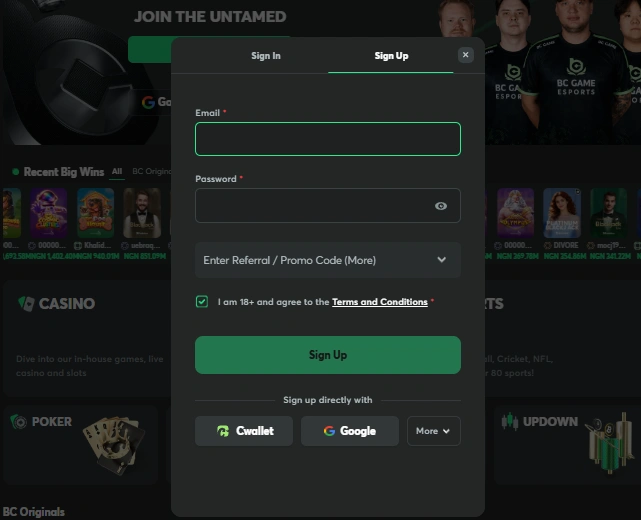
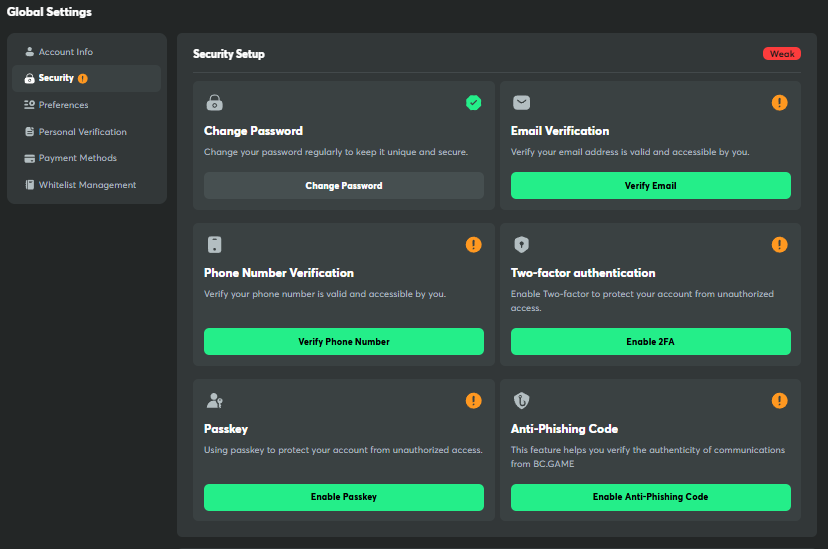
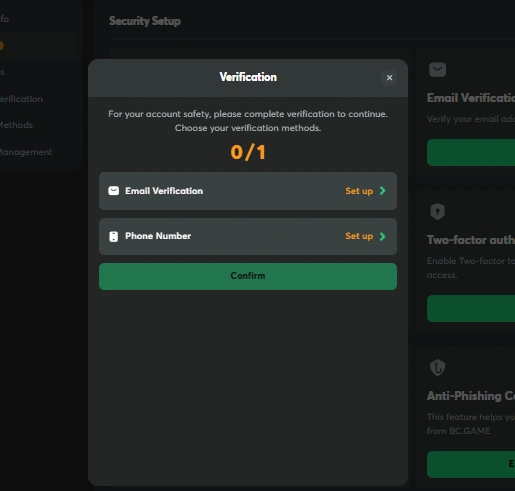
BC Game MX registration requires an email address or telephone number that you control and a unique password. After confirming your contact details, open the security settings before making a deposit. Do not reuse the password from your email, exchange, or social media accounts, because a data breach could affect several accounts at the same time.
Registration in 5 Steps
Open the official BC.Game website and check that the address is correct.
Select Sign Up to open the registration form.
Enter your email address or telephone number and create a unique password.
Confirm your contact details through the message you receive.
Open the security settings and enable 2FA before depositing.
How to Enable Two-Factor Authentication (2FA)
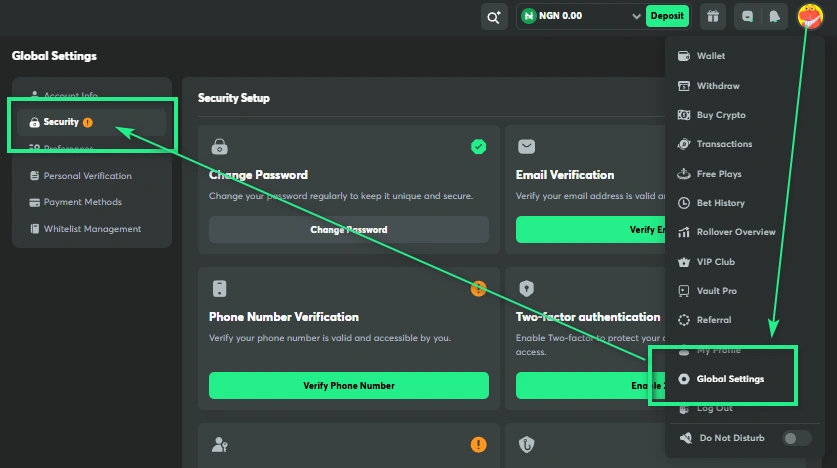
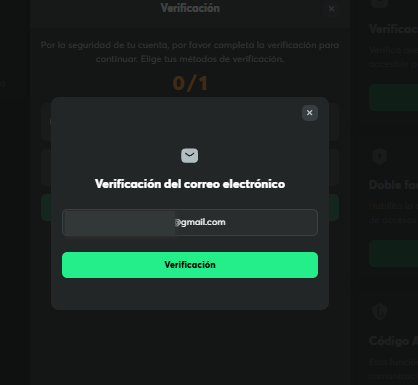
2FA adds a temporary code to sign-ins and sensitive transactions. On BC Game Mexico, it helps protect withdrawals even when someone knows your password. Store the backup outside your phone and never send it through chat. If you lose the device, this code may be required to restore access.
Open the security section in your account settings.
Select 2FA or app-based authentication.
Scan the QR code with your authenticator app and confirm the temporary code.
Copy the backup code and store it away from your primary device.
Account Verification (KYC): When and How
You can browse the catalogue before verification, but BC.Game may block withdrawals until KYC has been completed. Submit a clearly readable INE identity card or passport and proof of address, without glare or covered information. The review usually takes 24 to 48 hours, although a manual check may take longer. Complete it before you urgently need access to your funds.
Open your profile and select the Verification or KYC section.
Enter your details exactly as they appear on your identification document.
Upload your INE identity card or passport and the requested proof of address.
Submit the request and check your email in case another image is required.
How to Deposit with Cryptocurrencies
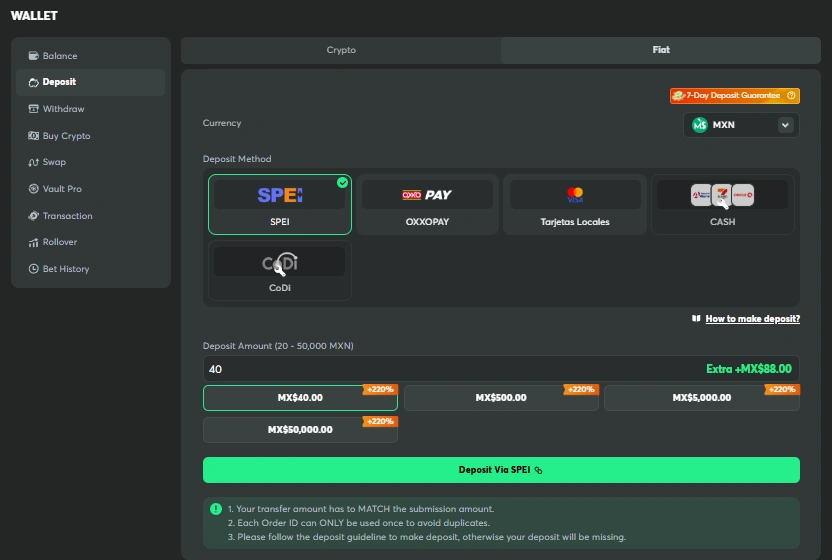
BC.Game does not accept direct deposits in pesos, through OXXO, or through SPEI inside the Wallet section. Purchase a supported currency through an exchange or P2P service that you are permitted to use, then send it from a wallet. On BC Game MX, you must choose the exact network, check the minimum amount, and keep enough balance for the fee. The times shown in the table are approximate and may increase because of congestion, maintenance, or an internal review.
Supported Cryptocurrencies and Networks
| Cryptocurrency | Typical speed | Network fee | Notes |
| BTC | 10 to 60 min | Variable | May require several confirmations. |
| ETH | 1 to 5 min | Variable | Costs increase when Ethereum is congested. |
| USDT (TRC-20) | Less than 1 min | Low | Confirm that the selected network is TRC-20. |
| LTC | 2 to 10 min | Low | Usually confirms faster than Bitcoin. |
| DOGE | 1 to 5 min | Low | Check the minimum amount and tag if one appears. |
| TRX | Less than 1 min | Low | Use only a Tron address. |
| XRP | Less than 1 min | Low | May require a destination tag as well as an address. |
Speed and fees depend on network traffic, the selected priority, and the number of confirmations required by BC Game.
Deposit Step by Step
Sign in and open Wallet from your account menu.
Select Deposit to view the available currencies.
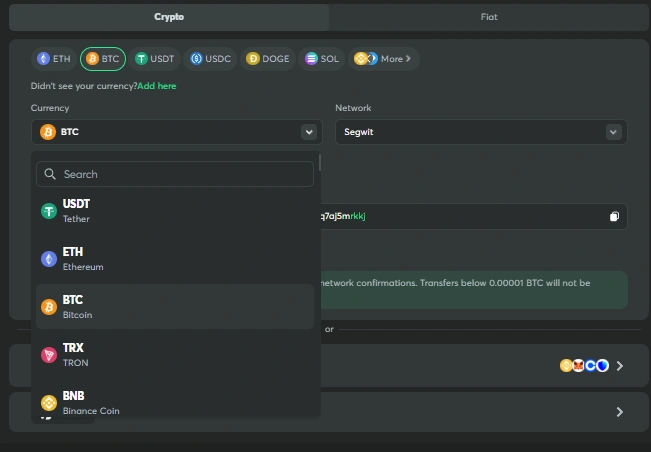
Choose the cryptocurrency and then the exact network you will use.
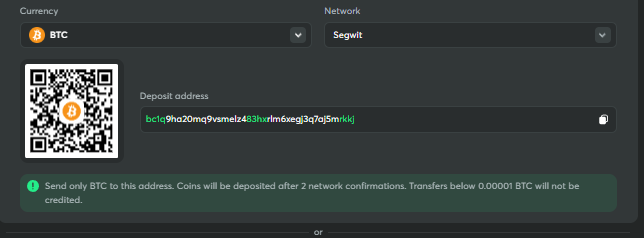
Copy the complete address or scan the QR code.
Send the funds from your wallet after checking the address, network, amount, and fee.
Wait for the confirmations and check your balance before playing.
Common Deposit Errors and How to Avoid Them
Errors usually happen before a deposit reaches BC.Game. Check the network, address, minimum amount, fee, and any memo or tag. Compare the first and last characters before confirming. For your first transfer, use a small amount above the minimum and save the transaction hash so support can trace it.
- Incorrect network: do not send ERC-20 funds to an address marked only for TRC-20.
- Incomplete address: use the platform’s copy button and compare it again.
- Forgotten fee: calculate the net amount that will arrive after the network charge.
- Deposit below the minimum: check the limit before confirming in your wallet.
- Pending confirmations: check the block explorer before repeating the transfer.
How to Play on BC Game Online
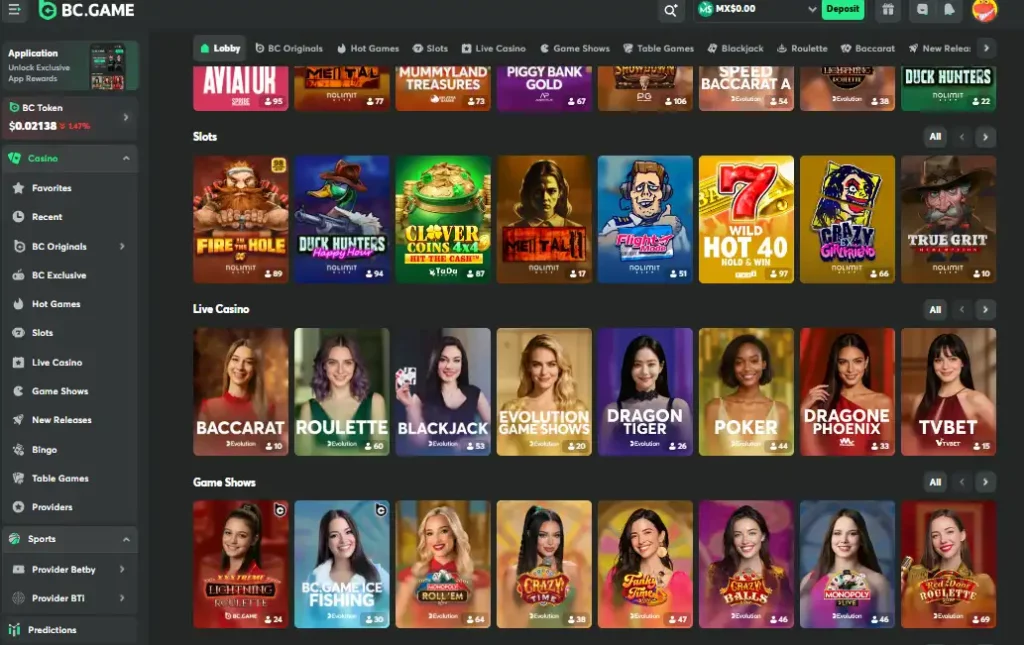
When the balance appears, open BC Game online and filter by game or provider. The platform includes BC Originals, slots, table games, and live casino titles from Pragmatic Play, Evolution, Play’n GO, Nolimit City, and Hacksaw Gaming. Check the minimum bet, rules, payouts, and house edge. Start with small amounts and review all requirements before using a promotion.
How to Play BC Originals: Crash, Plinko, Dice, and Limbo



In Crash, you set the stake and cash out before the crash point. In Plinko, you choose the risk level and number of rows before dropping the ball. In Dice, you select a probability and bet above or below the chosen value. In Limbo, you set a target multiplier. BC.Game also offers Hash Dice. These titles use Provably Fair technology to review seeds and the nonce, but the results remain random. A streak, the timing of a click, or a strategy does not change the probability or remove the house advantage.
How to Verify the Fairness of a Round
Provably Fair makes it possible to check that the data for a round was committed before the bet. It normally uses a server seed, client seed, nonce, and SHA-256 hash. You can then reproduce the calculation. A match indicates that BC Game did not change that round, but it does not prove that the player should have won or eliminate the house edge.
Open the game history and view the details of the round.
Copy the server seed, client seed, nonce, and published hash.
Enter the data into the Provably Fair verifier specified by the game.
Compare the calculated result with the result shown in your history.
Slots and Live Casino
Slots display payouts, paylines, the stake, and features before each spin. Check the RTP, volatility, and limits. In the live casino, a dealer runs the game through a video stream. Each table may have different rules, languages, and side bets. BC Game MX changes the catalogue according to the provider, region, or maintenance schedule.
Slots
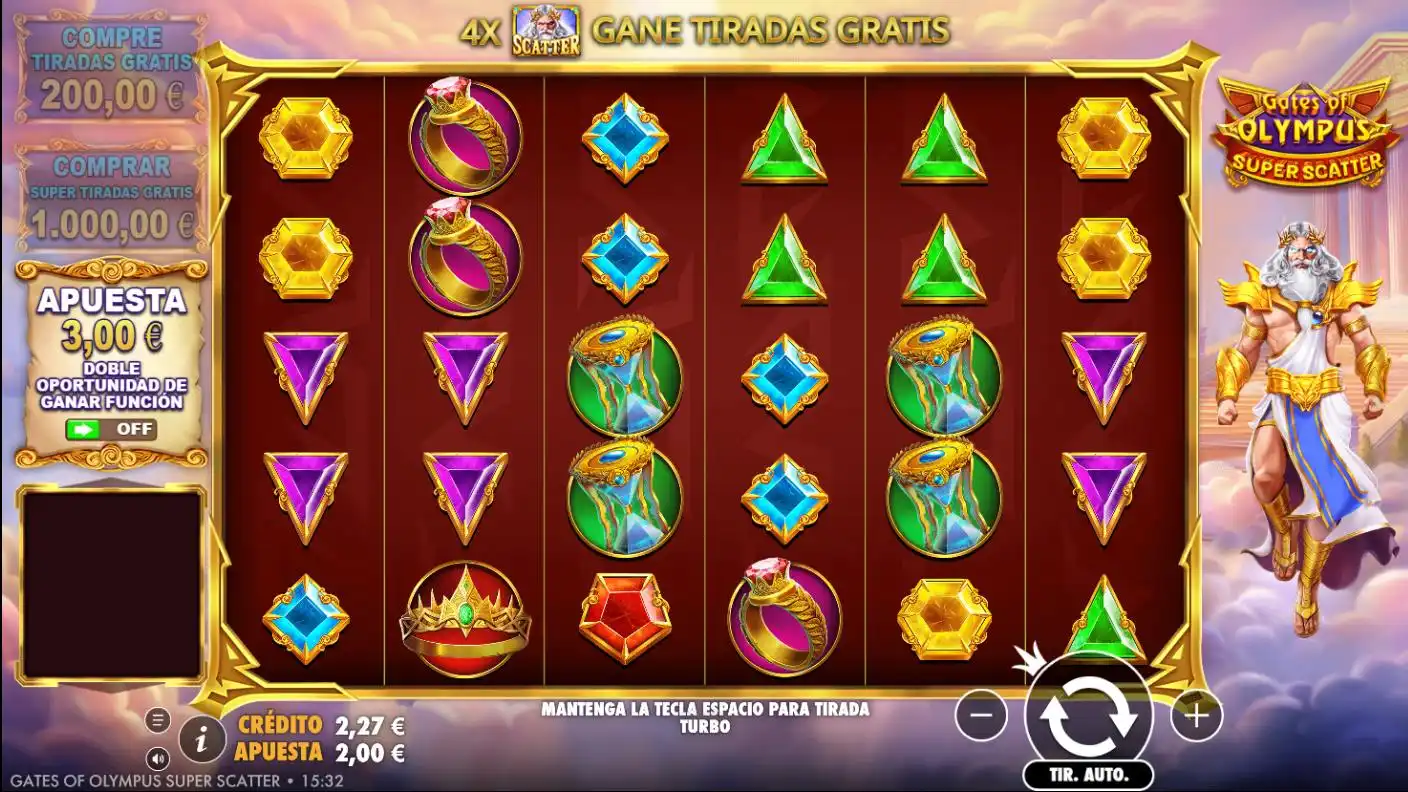
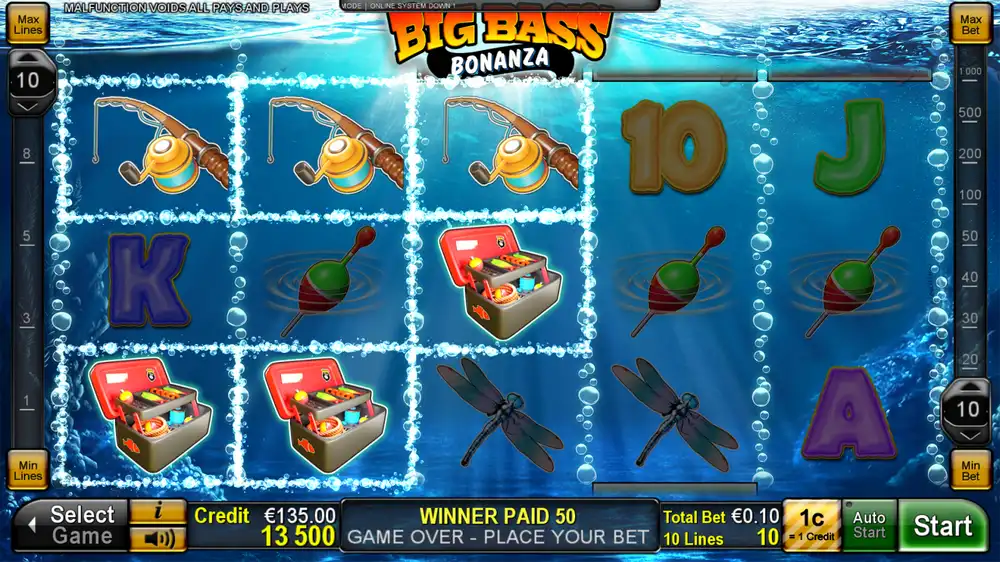
- Gates of Olympus: cluster payouts and multipliers.
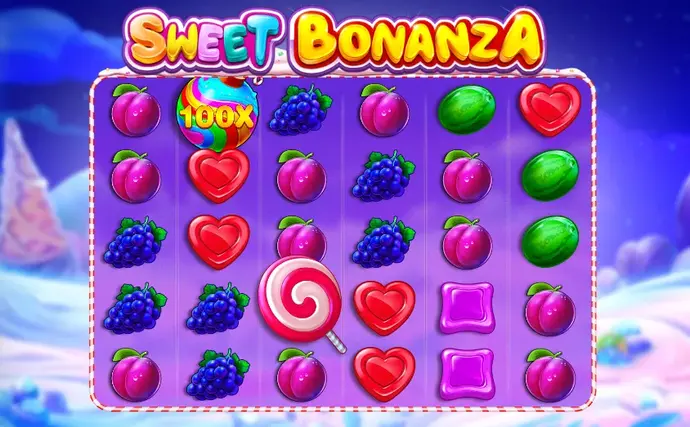
- Sweet Bonanza: cascading symbols and special spins.
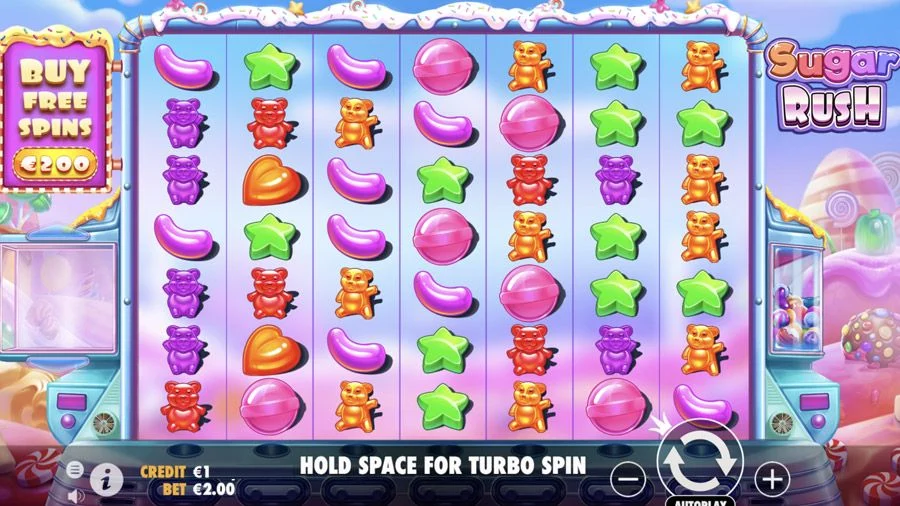
- Sugar Rush: a grid with multipliers.
- Book of Dead: classic paylines and expanding symbols.
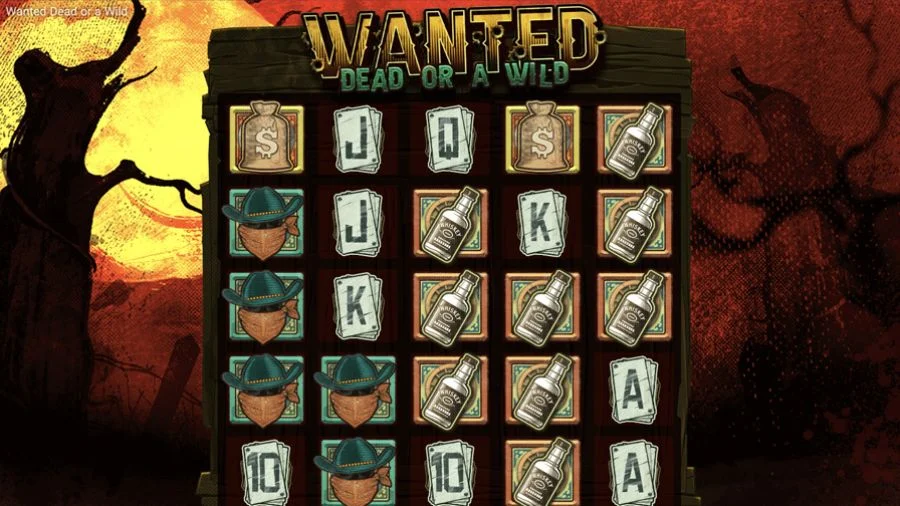
- Wanted Dead or a Wild: high volatility.
- Big Bass Bonanza: free spins and collection symbols.
Live Casino
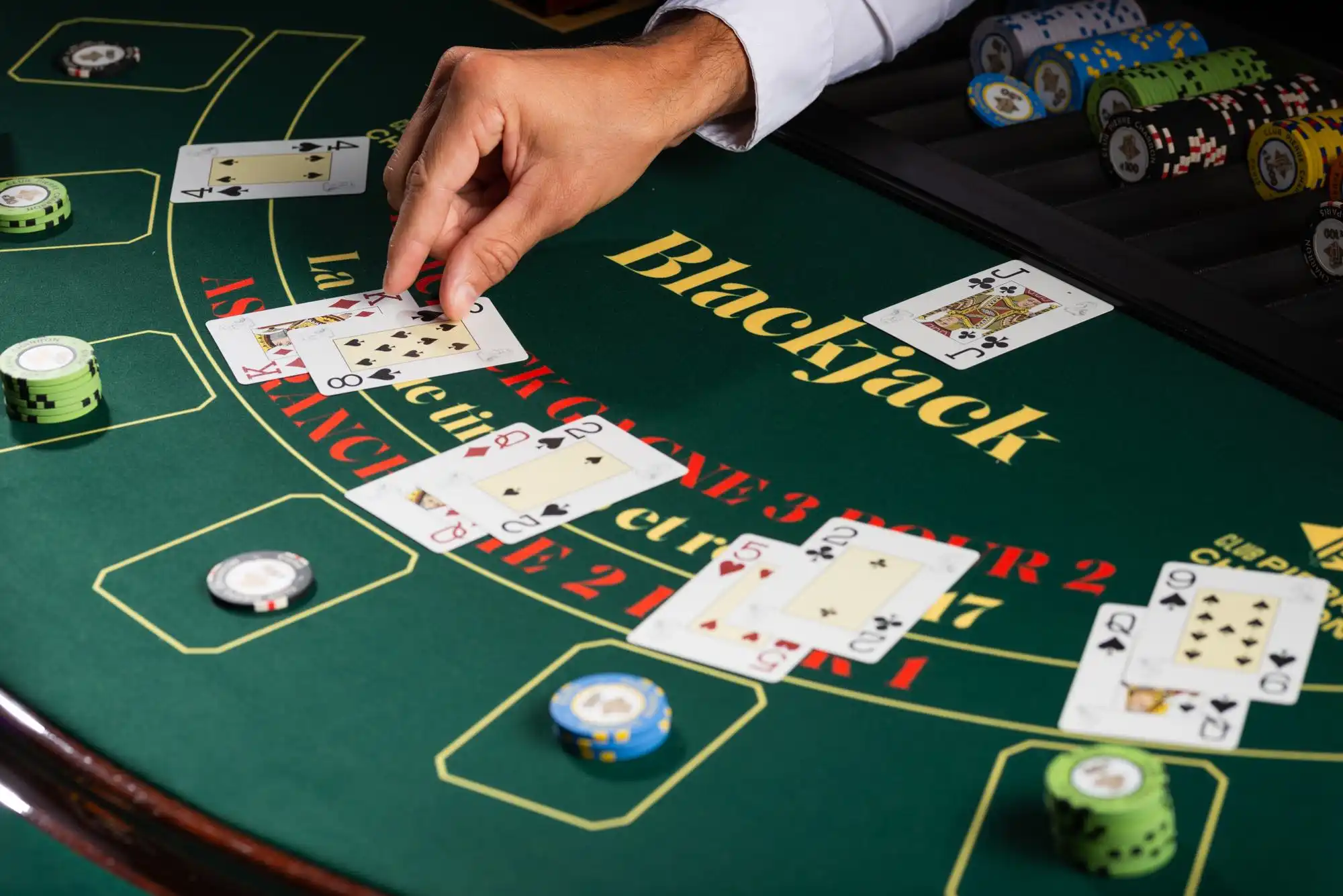
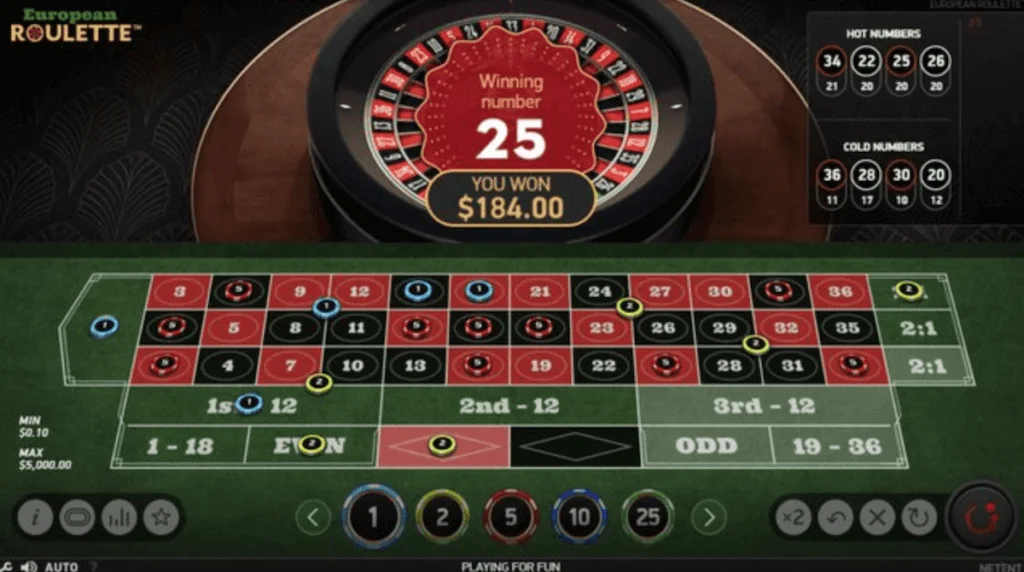
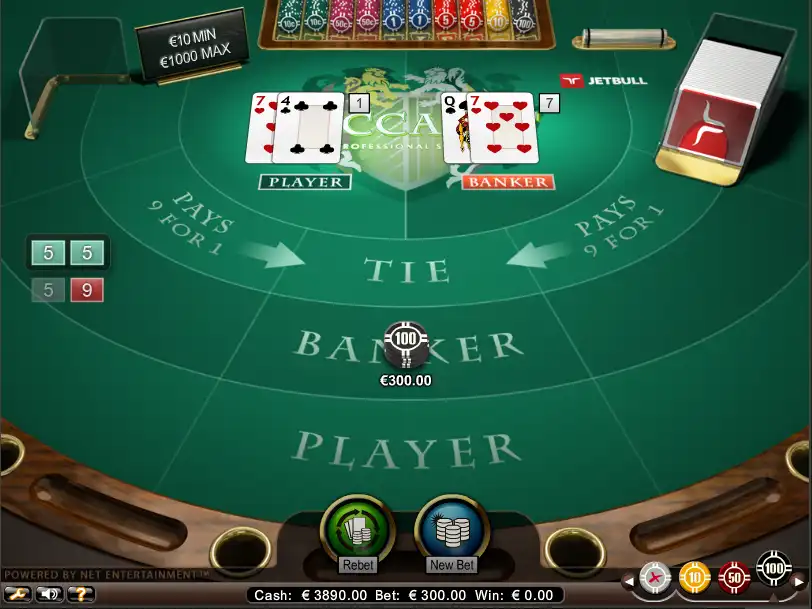


- Live blackjack: tables with different limits.
- Live roulette: European and American versions.
- Baccarat: player, banker, or tie.
- Crazy Time: a wheel and additional rounds.
- Lightning Roulette: numbers with multipliers.
How to Bet on Sports from Mexico
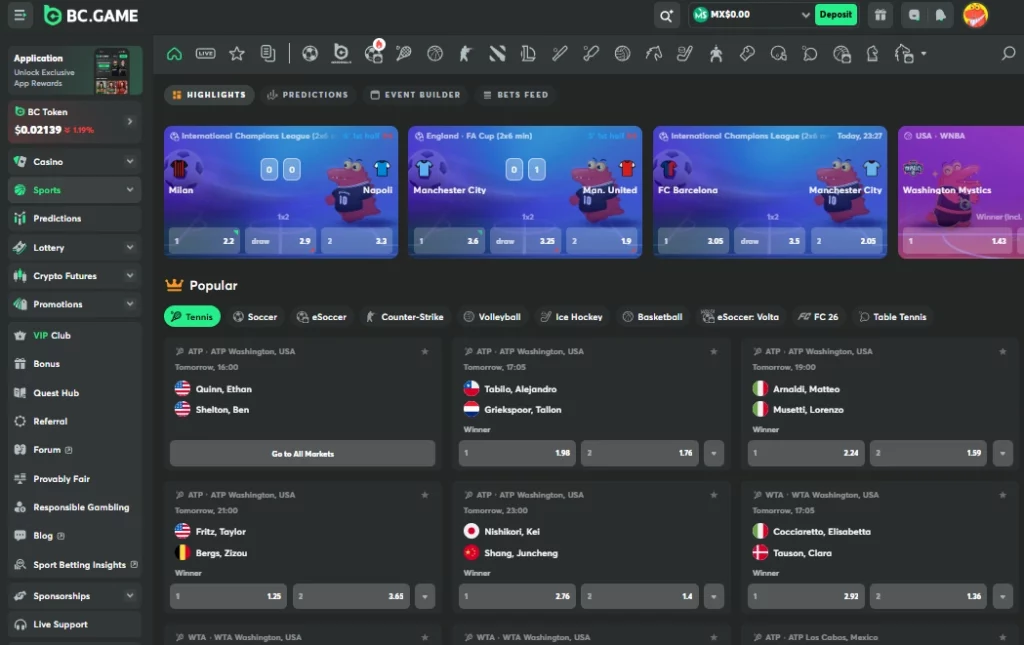
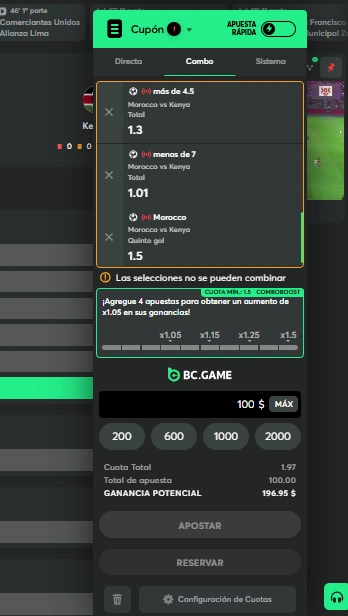
The BC.Game sportsbook allows users to search for Liga MX, the Clásico Nacional, the Mexico national team, CONCACAF, boxing, the NFL, and MLB. Confirm the event, date, and market before adding a selection. The bet slip shows the stake and potential return, not a guaranteed profit. On BC Game Mexico, live markets change during the match and may be suspended after an important play.
How to Place Your First Bet
Open Sports and select the sport you want to view.
Choose the league and then the relevant match or fight.
Select a market and review all of its conditions.
Enter the amount on the bet slip and check the remaining balance.
Confirm the bet and save the bet-slip record.
Most Common Liga MX Markets
These markets frequently appear on BC Game MX, although availability changes according to the match and timing:
- Match winner (1X2): home, draw, or away.
- Over or under goals: compares the final total with a defined line.
- Both teams to score: requires both clubs to score.
- Handicap: adjusts the score for settlement purposes.
- Correct score: requires the complete final result to be predicted.
- First goalscorer: identifies the player who scores first.
Live Betting and How Cash Out Works
Live bets are placed while the event is in progress. Check that the odds and selection have not changed before confirming. Cash Out allows certain bet slips to be closed when BC.Game displays an offer. The amount depends on the score, time, and current risk, and it may change or disappear. Confirm that the closure appears in your history before assuming that the bet has ended.
Boxing and Combat Sports
Boxing has particular relevance in Mexico, including fights involving figures such as Canelo Álvarez. BC Game may offer markets for the winner, method of victory, final round, and total rounds. UFC and MMA markets may add decision, knockout, or submission options. Confirm the opponent, weight class, duration, and rules for draws or cancelled fights.
How to Withdraw Your Balance
To withdraw from BC.Game, you need a wallet that supports the selected currency and network. Complete KYC and enable 2FA. Check the minimum amount, fee, and withdrawable balance, because a promotion may keep some funds subject to requirements. BC Game Mexico may apply automatic or manual checks. The player pays the network fee, and the processing time depends on the internal review and the blockchain.
Withdrawal Step by Step
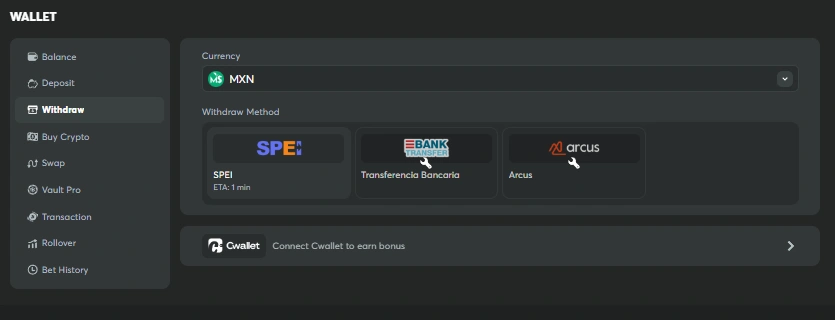
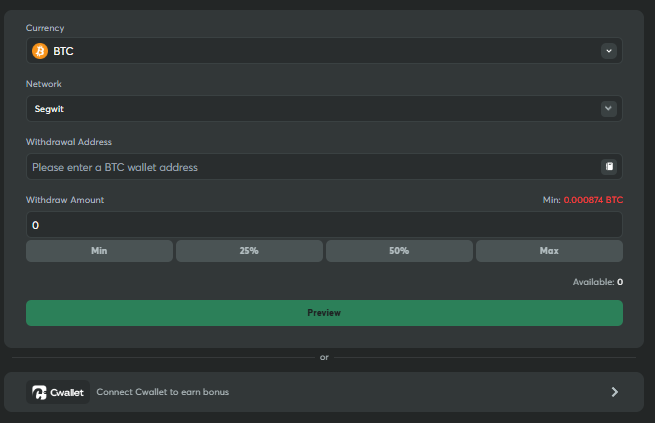
Open Wallet and select Withdraw.
Choose the cryptocurrency and the network supported by your receiving wallet.
Paste the address and add a memo or tag when required.
Enter the amount and check the minimum, fee, and net amount.
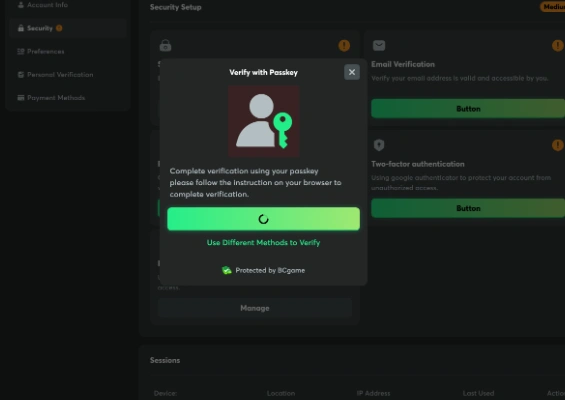
Confirm with 2FA and any additional validation requested.
Wait for processing and save the transaction hash when it is published.
How Long a Withdrawal Takes and What Can Delay It
A withdrawal may be delayed by pending KYC, congestion, maintenance, a manual review, recent security changes, or inconsistent information. If BC.Game publishes a hash, use a block explorer to follow the transaction. If there is no hash after the displayed processing period, contact support with the time, currency, network, amount, and a screenshot of the status.
Withdrawal Times by Cryptocurrency
| Cryptocurrency | Typical network time | What may delay it |
| BTC | 10 to 60 min | Congestion, a low fee, or several confirmations. |
| ETH | 1 to 5 min | High fees, congestion, or maintenance. |
| USDT TRC-20 | Less than 1 min | Internal review or an incorrect network. |
| LTC | 2 to 10 min | Pending confirmations or an invalid address. |
| TRX | Less than 1 min | Maintenance, a review, or incomplete details. |
The times are approximate and begin when BC Game broadcasts the transaction to the relevant network.
How to Use BC Game on Mobile
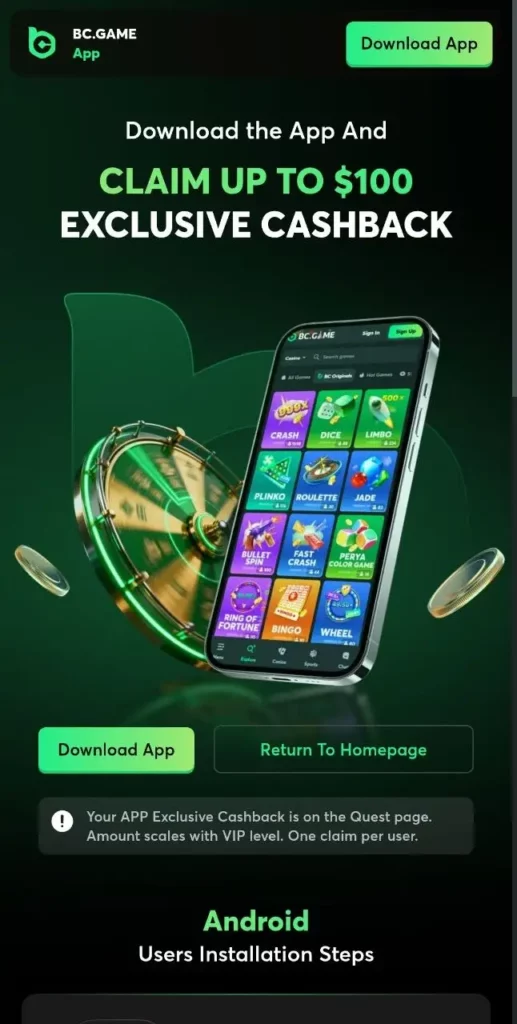
BC.Game works through a responsive website and as a PWA. From a mobile device, you can access games, the sportsbook, Wallet, and history without using an app store. On iOS, the platform opens through Safari. On Android, you can use a browser or the official APK. Lock the device, keep the operating system updated, and avoid public networks. BC Game MX retains the main features, although the live casino requires a stable connection.
- Casino catalogue and BC Originals through the browser.
- Pre-match and live betting with an updated bet slip.
- Deposits, withdrawals, and transaction history.
- Quick access through a PWA icon.
- Security controls, 2FA, and device locking.
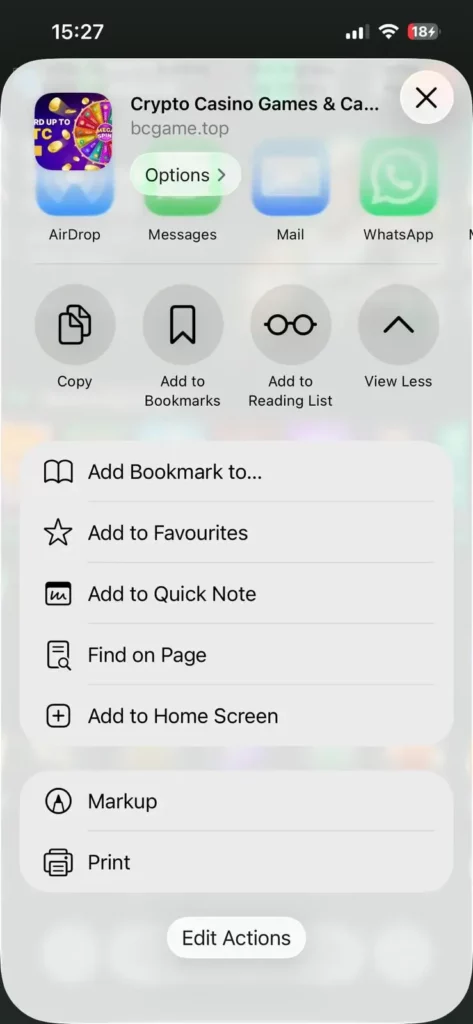
Installation on iOS (Safari)
Open the official BC Game Mexico website in Safari, tap Share, and select Add to Home Screen. Confirm the name and open the icon. This is a PWA, not an App Store application. Always check the address before entering your details.
Installation on Android (APK)
On Android, you can use Chrome or download the APK from the official BC.Game page. Check the domain, install the file, and then disable permission for unknown sources. Do not use advertisements, groups, or external repositories, because a modified copy may steal your password, 2FA codes, or withdrawal addresses.
VIP Programme: How It Works
The BCGame VIP programme advances through eligible activity and may range from Bronze to Diamond. Its terms may include rakeback, cashback, Lucky Spin, level rewards, a VIP host, and priority for some reviews. Not every benefit is available to every account. The level does not change the odds. Check the dates, limits, and requirements before accepting a reward.
How to Protect Your Account
BC.Game security also depends on your habits. Enable 2FA, use a unique password, and protect the associated email account. Do not share codes, your password, or your wallet seed phrase with support. Review active sessions and transactions, use personal devices, and confirm every address through your original wallet app. If you notice unusual access, change the password, close active sessions, and contact BC Game MX. No online service can eliminate every risk completely.
Regulation in Mexico: What You Need to Know
In Mexico, gambling is regulated at the federal level under the Federal Gaming and Drawings Law. The Ministry of the Interior, through the General Directorate of Gaming and Drawings, supervises the sector and administers permits. Operators legally authorised in Mexico work under permits issued by SEGOB. BC.Game publishes an offshore Anjouan licence identified as ALSI-202410011-FI1. This licence is not a Mexican permit and should not be presented as equivalent to SEGOB authorisation. The use of cryptocurrencies does not independently make an activity legal. Before using BC Game Mexico, review the current rules, the terms, and the restrictions that apply to your location. You are responsible for checking whether you may use the service. This content is informational and does not replace legal advice. Do not use false information or attempt to bypass identity, age, or territorial controls.
Common Problems and How to Resolve Them
If you cannot sign in, check your credentials, the time on your phone, and 2FA. If a deposit does not appear, verify the network, address, confirmations, and hash before repeating it. For pending withdrawals, check KYC, email confirmation, limits, and maintenance notices. If the page fails, update the browser and check the connection. Send support screenshots, the time, amount, network, round ID, or hash, but never your password or codes. Before opening a case, record whether the problem occurred in the browser, PWA, or APK. State the operating system version and explain what you already tried. Do not delete the account history or close a pending transaction before receiving instructions, because these details may help identify the cause.
Customer Support
BC.Game offers 24/7 live chat, email, and Telegram, with assistance in Spanish and English depending on availability. Prepare a concise explanation, screenshot, time, currency, network, amount, hash, and round ID. Hide unnecessary information and confirm that any Telegram link matches the official channel shown in your account. Support does not need your wallet seed phrase, password, or 2FA codes. Keep the responses you receive for reference.
Responsible Gambling
BC Game Mexico is only for people aged 18 or older. Gambling is entertainment, not a stable source of money. Keep the gambling budget separate from rent, food, debt payments, and savings. Use deposit and loss limits, reminders, breaks, or self-exclusion. Do not chase losses, and remember that every round is independent. If you hide expenses, borrow money, or lose control of your time, suspend the account and seek professional support in Mexico. If the urge continues after a break, block deposits, remove easily accessible payment methods, and speak with someone you trust. Asking for help early can stop spending before it affects personal or family obligations.
Frequently Asked Questions
First, you need to purchase a supported currency through an exchange or P2P service available to you. Check the provider’s identity, fee, price, and withdrawal network. Then send the cryptocurrency to your personal wallet or directly to the BC.Game deposit address if you understand the process. BC Game does not accept pesos, OXXO, or SPEI as direct deposits inside Wallet.
The funds may not be credited and, in some cases, may be permanently lost. Do not send another transaction as a test. Save the hash, address, currency, and network used. Contact BC Game MX support and the service from which you sent the funds. Recovery depends on technical control of the address and is not guaranteed.
It depends on the currency, fee, and required confirmations. USDT through TRC-20, TRX, or XRP may appear in less than one minute after being sent, while BTC may take 10 to 60 minutes or longer. Check the hash in a block explorer. If the blockchain confirms the transaction but BC.Game does not credit it, open a support case.
Check whether you completed KYC, confirmed your email, and approved the request through 2FA. Also check maintenance notices, the withdrawal minimum, and any outstanding promotional requirements. If BC Game has already published a hash, the transaction is on the blockchain and you need to wait for confirmations. If there is no hash, contact support with the time, currency, network, amount, and a screenshot of the status.
Open the game history and find the Provably Fair option. Copy the server seed, client seed, nonce, and hash. Enter this information into the verifier associated with the title and compare the calculated result with the recorded round. A match shows that BC.Game did not change this data after your bet, but it does not mean that you should have won.
No. You can open the responsive website through Safari or Chrome. On iOS, add the PWA to the home screen through the Share menu. An APK is also available on Android, but you should download it only from the official website. The browser provides access to the casino, sportsbook, Wallet, support, and history without installing an app-store application.
BC Game usually publishes markets for Liga MX, the Mexico national team, CONCACAF, and boxing events, as well as the NFL and MLB. Availability depends on the schedule and the account. Before confirming, check the event, date, opponent, market, and settlement rules. In live betting, the market may change or be suspended during an important play.
Mexico regulates gambling under the Federal Gaming and Drawings Law and SEGOB supervision. The Anjouan licence published by BC.Game is not a Mexican permit. Check the current rules and applicable restrictions before using the platform. Cryptocurrency does not independently change the legal status or replace age and identity controls.